


Designing workflow primitives that scaled into a platform
Context
Workato was a platform whose use cases were defined by customers. They could combine hundreds of connectors, thousands of actions, logic, and data in ways we could not predict. In 2019, the existing editor made that power feel like code.
Objective
Design understandable, composable primitives that could let people build almost anything.
Action
Designed a top-to-bottom visual flow and a repeatable grammar for every step. Progressive disclosure, contextual configuration, testing, and versioning allowed complexity to grow without changing the core model.
Outcome
The model has held for seven years and across thousands of actions. It grew from an integration editor into a foundation for copilots, agent skills, and MCP without a fundamental redesign.
The platform was powerful because its primitives could compose
Workato let people combine a small set of primitives—triggers, actions, conditions, loops, and data mappings—to build everything from a simple notification to a complex enterprise process. Its first Recipe Editor described that logic in simple English, guided builders step by step, fit substantial logic on one page, and became easier to scan on repeat visits. It was closer to “documentation that runs” than a conventional programming surface.
But the power of that model was difficult to see at first. The editor was text-heavy, less inviting, and easy to mistake for code. Indentation made nested logic, especially if/else conditions, harder to understand. Meanwhile, integration-savvy customers were becoming comfortable with more visual, freeform flowcharting tools.
Make the primitives legible without limiting what they could build
I framed four requirements for the redesign:
- Make each primitive legible - help builders understand what every piece did before becoming experts.
- Keep the pieces composable - let the same building blocks express both simple and complex work.
- Scale through a shared grammar - support new connectors and capabilities without inventing a new interaction each time.
- Preserve what worked - retain the plain-English sequence, directed construction, compactness, and repeat-visit readability of the original editor.
A blind comparison tested the direction and exposed what could break
I developed an early direction for the redesign and partnered with research on a lightweight perception study. Nine customer groups at Dreamforce saw five randomized, unlabeled designs: the existing and proposed Workato editors and three competitors. Four interviews with sales and support added context.
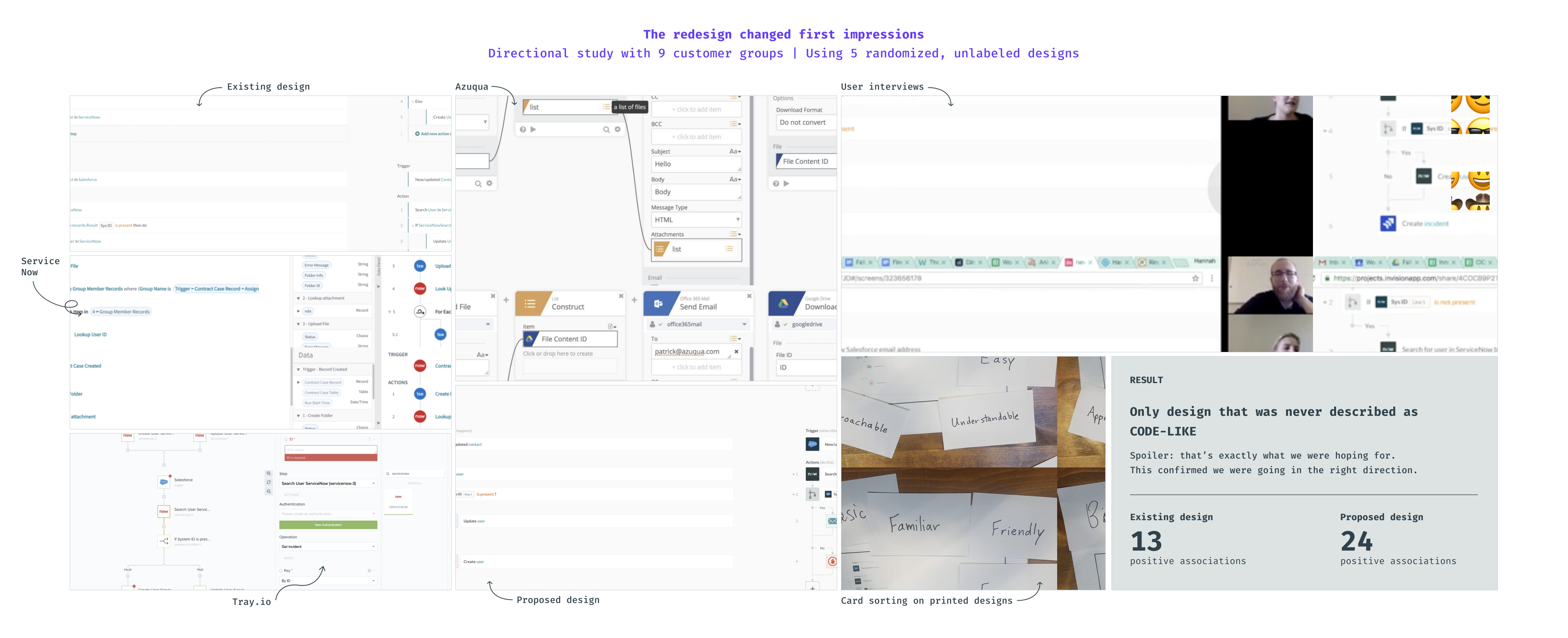
The blind study tested first impressions without product labels. The proposed redesign led on friendliness, ease, and understandability.
However, I found the contradictions to be more valuable than the score. The new direction felt approachable, but sometimes “basic.” Icons improved orientation but reduced information density. A more visual experience helped first-time comprehension, while returning builders still needed predictable markers and a stable structure.
The first redesign made the control flow visual
The study led us to replace the code-like presentation with a structured visual flow. Icons, branch markers, loops, and clearer actions made the sequence easier to follow while preserving its compact, top-to-bottom structure.
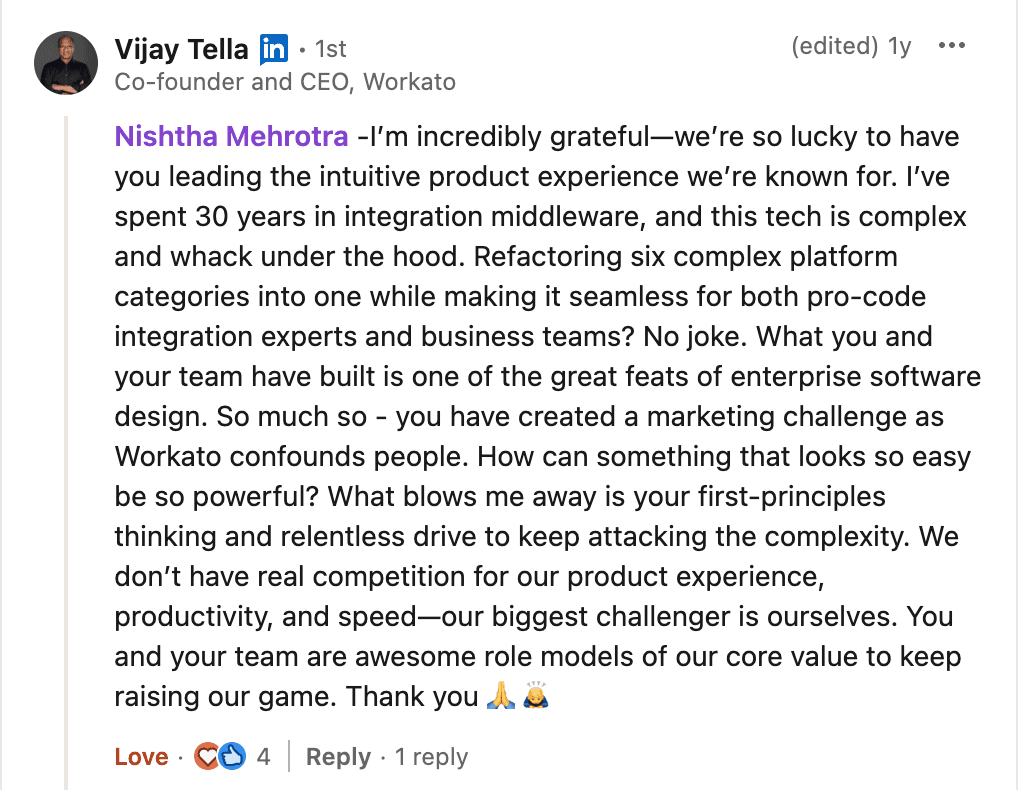
After it launched in 2018, longtime enterprise cloud analyst Phil Wainewright wrote in diginomica:
Why top-to-bottom reduces cognitive load
Freeform canvases make builders hunt across the screen to reconstruct the logic. I explain how plain English and a directed flow keep recipes readable, current, and easier to revisit.
Why we redesigned the editor again
The visual flow made recipes friendlier and easier to understand, but it introduced new problems as recipes became longer and more complex. It consumed more space, made specific steps harder to relocate, and left increasingly sophisticated configuration competing with the flow itself.
We needed to preserve the readable, top-to-bottom sequence while giving builders enough room to configure, test, and debug each step. That led to the split-view model.
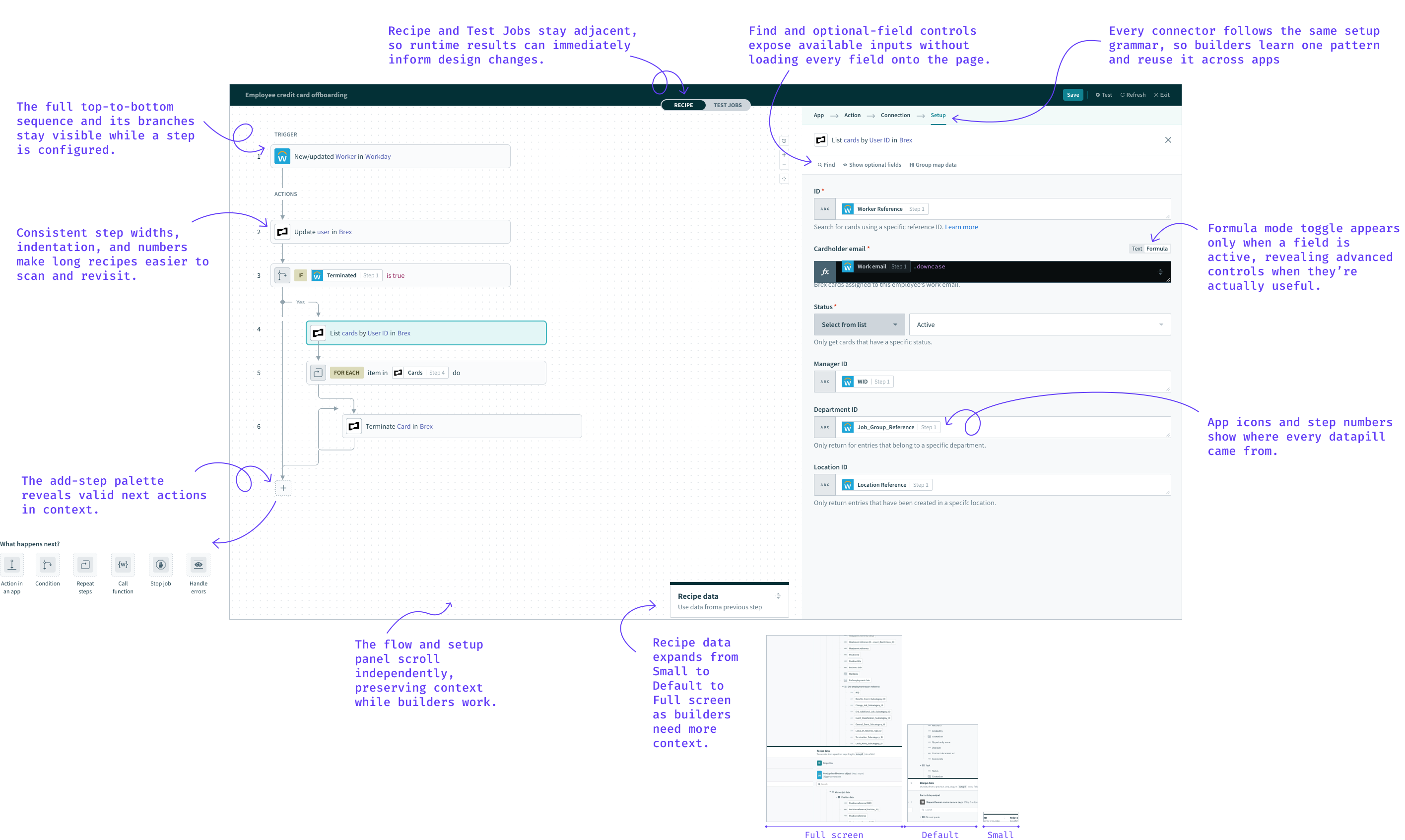
Keep the whole recipe visible while configuring a step
The recipe stayed visible on the left while the selected step opened on the right. Builders could configure one step without losing the sequence, branches, or their current position.
Turn a repeatable setup grammar into a platform contract
I designed triggers and actions around a repeatable sequence:
| Step | Question I asked |
|---|---|
| App | Where does the work happen? |
| Connection | Which authenticated account should it use? |
| Action or event | What should happen? |
| Setup | What data and rules apply? |
Once builders learned this grammar, they could transfer it across hundreds of connectors and thousands of actions. The interface did not need to predict what they would build; it needed to make the primitives predictable enough to recombine.
That consistency became the platform's extensibility contract. Recommendations, generated recipes, copilots, agent skills, and MCP could enter a known structure rather than inventing a new interaction for every capability.
Let density adapt to the task
A long enterprise recipe and a short automation shouldn't demand the same information density.
- Zoom shifted between detailed editing and a compressed system view.
- Additional spacing preserved drag-and-drop targets when zoomed out.
- The Datatree could be minimized, used at a working size, or expanded for deeply nested schemas.
- Search and persistent optional-field controls replaced paginated configuration flows.
Match the interface response to the consequence of a change
Changing an app, a connection, or an action may look similar on the surface, but each has a different blast radius. I specified different recovery behavior for each:
| What changed | What happened |
|---|---|
| The app | Reset downstream selections, because the system had changed. |
| Only the connection | Preserved the selected event when it remained valid. If a custom event was unavailable, the editor cleared it and prevented completion until the builder chose again. |
| The action or event | Retained the app and connection, then moved directly into configuring the new selection. |
Reveal advanced capability at the moment of intent
Every field began in plain-text mode. Selecting Formula mode revealed transformations relevant to that field's data type, keeping advanced capability available without loading it into the default experience.
Make data provenance part of the object
Datapills visibly carried their source step number. An invalid mapping wasn't represented as a generic error.
Selecting the invalid pill exposed likely replacements. Choosing a replacement option cleared both the warning and its corresponding item in the “Things to fix” checklist.
Diagnosis, recommendation, correction, and confirmation happened in one loop.
Small interaction decisions made the system coherent
The working files covered focus behavior, selection states, motion, keyboard shortcuts, responsive layouts, and error hierarchy. For example, when the Datatree was minimized, its entire header remained clickable because the target needed to reflect the builder's intention, not the icon's size.
Testing shouldn't feel like a separate stage
I didn't want builders to construct an entire recipe and only then discover whether it worked.
The editor organized building and testing as one continuous loop. Builders could make a change, run the workflow, inspect each step's input and output, and return directly to the recipe.
The interaction model encouraged four behaviors:
- Test early and often - testing was part of iteration, not final validation.
- See exactly what happened - step-level inputs and outputs made debugging visible.
- Skip without deleting - builders could isolate logic while preserving the structure under test.
- Resolve errors before running - the “Things to fix” checklist surfaced all design-time errors like missing connections and invalid mappings, then marked issues complete as they were fixed.
Safety continued beyond the editing session
Saving and exiting moved the recipe into read-only mode to reduce accidental changes. Permission-aware View and Edit modes clarified who could act. Every save created a version, enabling review, comparison, and recovery.
We migrated everyone while keeping the concepts familiar
The redesigned editor launched in 2020 across every plan. Existing recipes opened in the new experience, and there was no switch back.
This made conceptual compatibility essential. The launch established the model. Later releases increased speed, precision, and collaboration without destabilizing it:
Visual flow cues, guided setup, zoom, the resizable Datatree, View/Edit modes, error guidance, and integrated testing.
Formula guidance, search, copy and paste, remapping, live preview, dependency visibility, and job observability.
Visual recipe diffs made review and change comprehension first-class.
Copilot, recipe sketches, skills, Genies, and MCP reused the editor's structured workflow language.
Make constraints about cognition, not fashion
Not every component designed in 2019 was perfect. Yet the editor remained usable over the years because its foundational decisions addressed stable human needs.
| Design decision | What it enabled |
|---|---|
| Ordered flow: collaboration protocol | Standardized how automation logic was authored and read across teams. |
| Setup grammar: extensibility contract | Allowed new connectors and later AI capabilities to enter a familiar structure. |
| Split view: context-preservation pattern | Kept local configuration and the wider recipe visible together. |
| Progressive disclosure: capability gradient | Let technical depth increase without overwhelming the initial experience. |
| Testing, versions, and provenance: trust infrastructure | Made iteration, troubleshooting, review, and governance part of the product lifecycle. |
The interface continued to evolve, but later teams didn't have to redefine how a recipe should be read, configured, tested, or understood.
Agentic work stretches the linear model
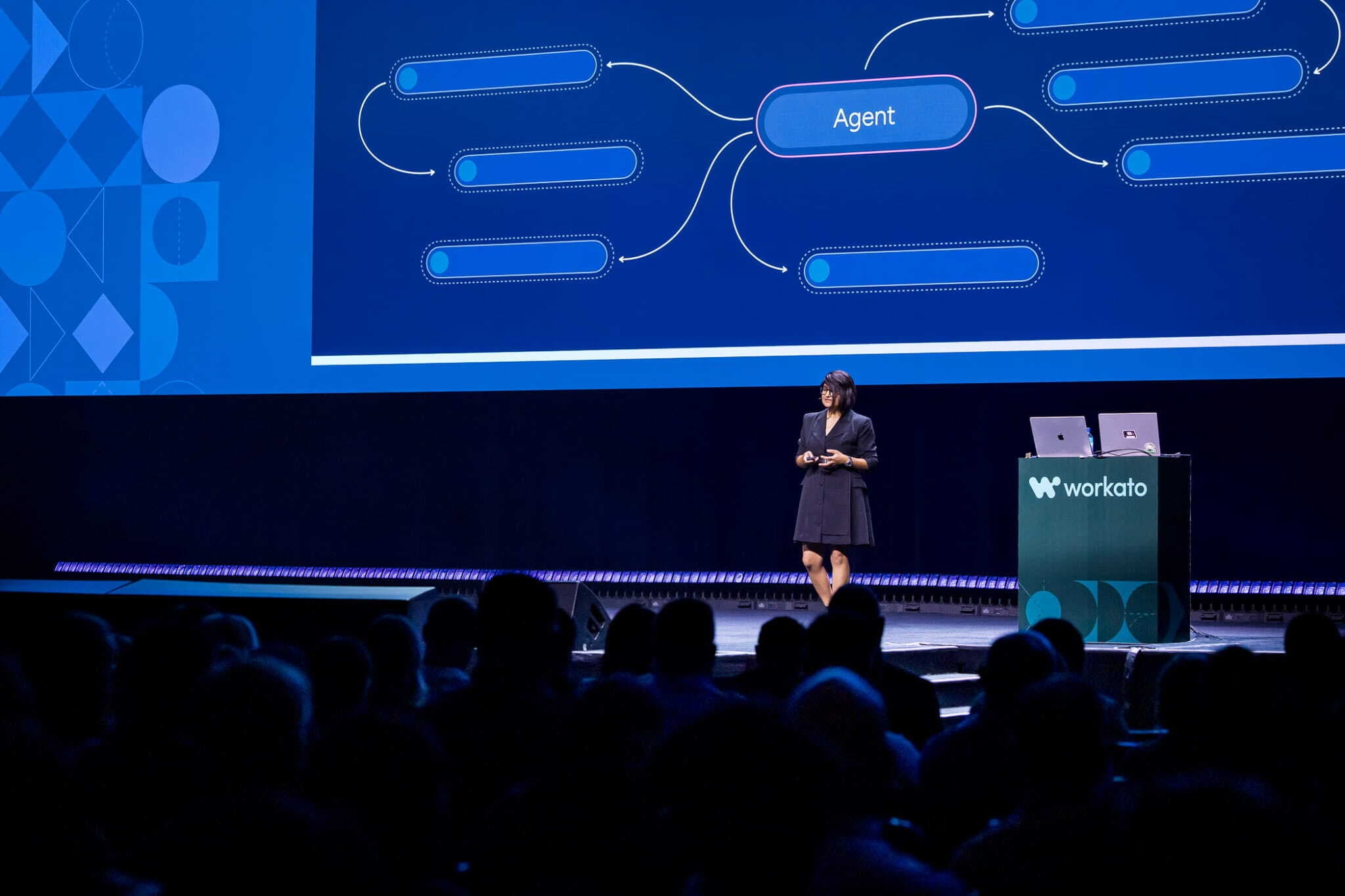
The Recipe Editor was designed for deterministic execution. Agents add reasoning, delegation, knowledge, and tool selection, often across recipes, skills, and other agents.
The ordered recipe remains valuable for understanding what will execute, but it can't represent the entire agentic system on its own. I explore the wider product and information architecture implications in the Agent Studio case study.
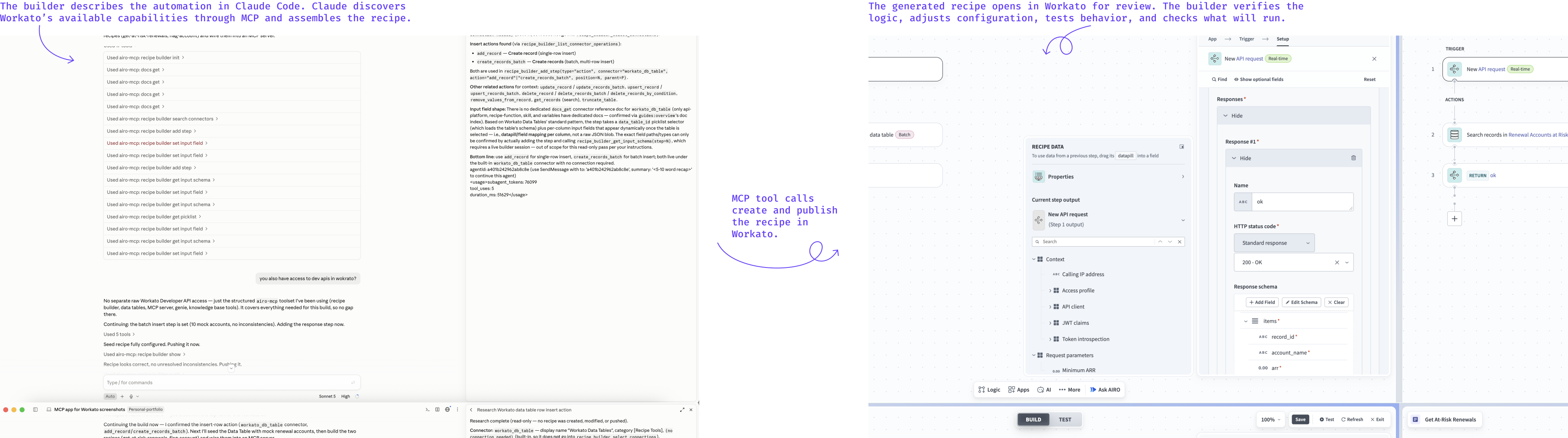
Headless creation changes the role of the interface
Advanced builders increasingly create recipes through Claude, Codex, APIs, and browser automation. This establishes new requirements that the interface must meet:
- Express intent, constraints, approved connections, and reusable patterns before generation.
- Inspect AI-authored changes through diffs, provenance, dependencies, and blast radius.
- Approve, deploy, version, roll back, and govern generated work.
- Trace behavior across deterministic and agentic components.
- Keep human and AI edits synchronized and prevent stale-context overwrites.
What this work says about how I design
- I work from a point of view - I strengthened a constrained, directed model when the market favored open canvases because enterprise readability and lifecycle management mattered more for our customers.
- I translate principles into interaction rules - simplicity, clarity, and confidence were principles that determined layout, focus behavior, change recovery, information density, testing, and permissions.
- I stay in the details - my role included the small decisions that make a product feel coherent: target sizes at different zoom levels, selection behavior, error hierarchy, motion, recovery states, and when an action should become unavailable.
- I design the release and the runway - I separated the foundational model from follow-on capabilities, migrated customers without fragmenting the experience, and left room for the roadmap to compound.
- I treat trust as a product capability - visibility, provenance, reversibility, permissions, version history, and safe concurrency allow teams to move faster because the system makes consequences legible.