Stop babysitting your AI agents
- Contribution
- Design direction
- Team
- Serene Chen
- Timeframe
- 2026
- Outcome
- Design under development; patent filing planned
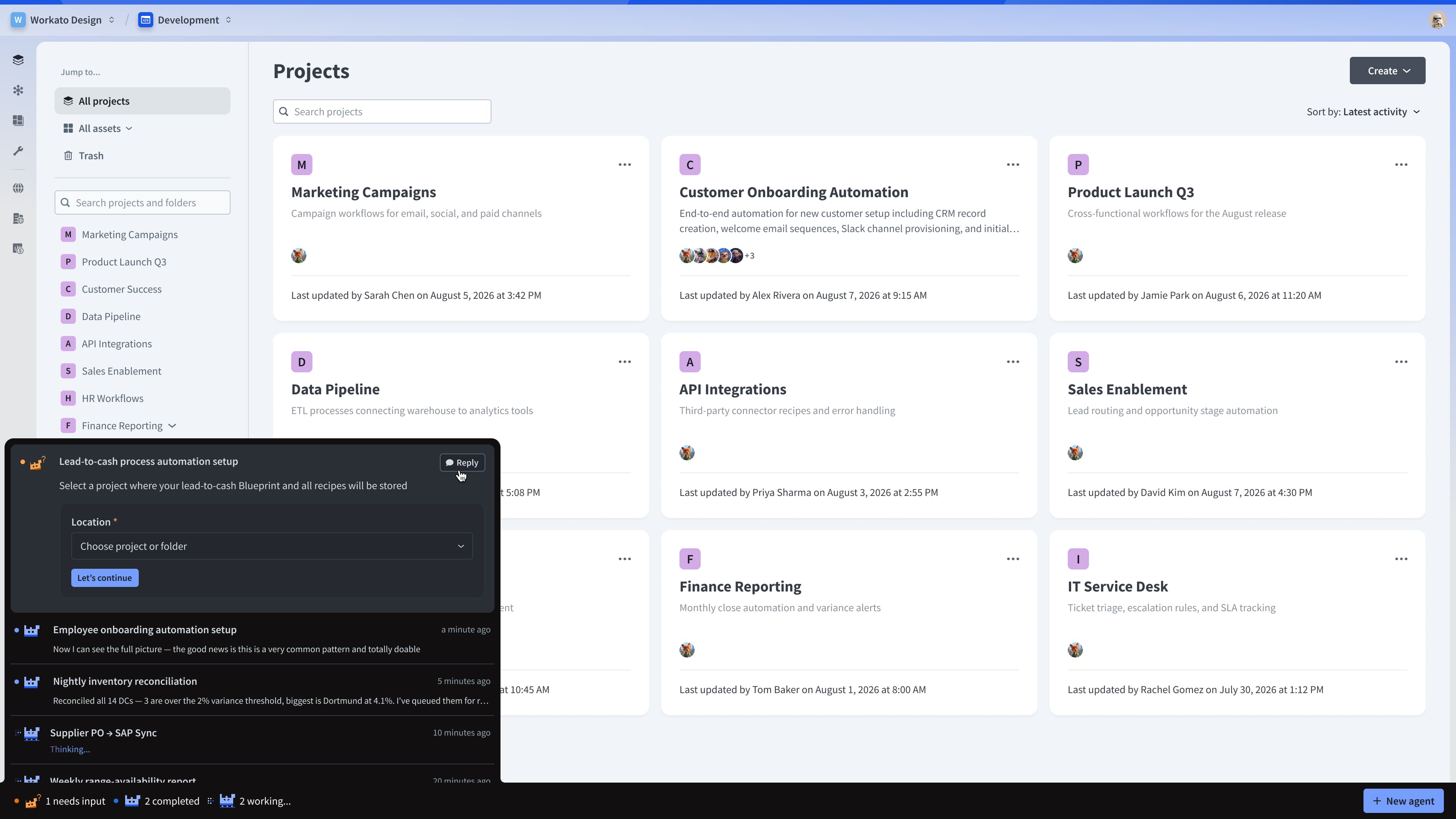
The agent fleet stays within reach while the user continues working elsewhere in the product.
How do you supervise agents without becoming their full-time supervisor?
A single AI assistant can fit neatly inside a chat panel. Managing a fleet of agents is more complex and remains largely unsolved.
People need to assign work, leave agents running, and continue with their own tasks. At the same time, they need to know when an agent finishes, gets stuck, or requires a decision.
Imagine an automation lead starting three agents:
- One debugging a failed invoice sync in Finance
- One building a lead-routing workflow in Sales
- One investigating errors in an employee-onboarding process
Rather than waiting, the automation lead begins building an approval workflow manually. The agents continue working in the background while the lead remains free to check their progress, redirect them, or queue additional work. The automation lead only needs to return to the full agent session when more context is required.
Why is this particularly difficult in Workato?
A Workato user can belong to several workspaces, perhaps one for Sales, another for Legal, and another for Finance. Each workspace may also contain development, test, and production environments.
An agent could therefore be working in a different workspace, environment, or product area from the page the user is currently viewing. If agent supervision lived inside a page or asset-level chat, people would have to remember where each agent started and navigate back to that location to check its progress.
The design challenge was to make agent supervision independent of any asset, page, workspace, or environment. It needed to belong to the user and remain accessible throughout the product.
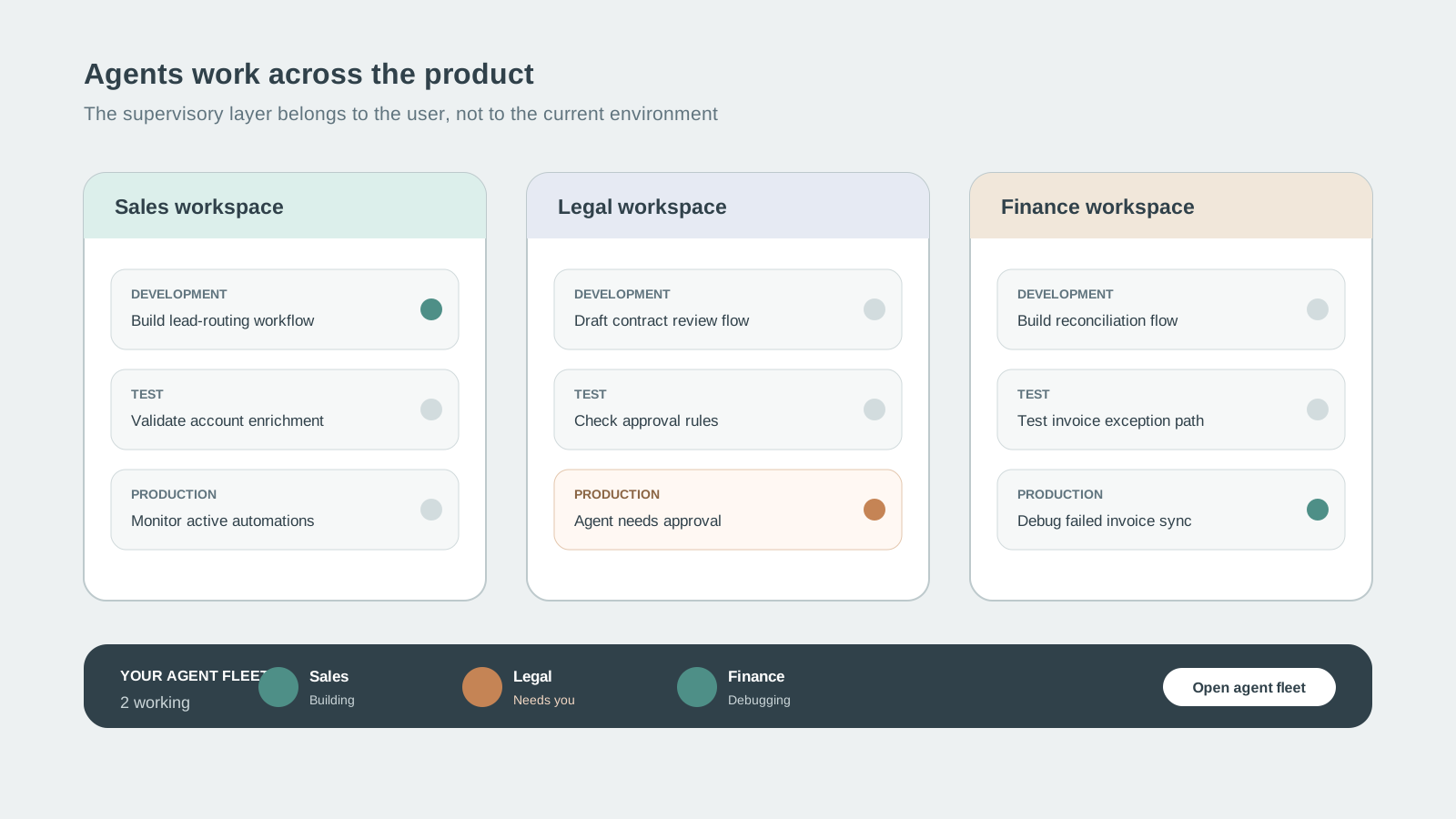
Agents may work in different workspaces and environments, but their supervisory layer stays with the user.
The first concept confused location with attention
An early concept combined agent status with the workspace and environment indicators.
I pushed back on this direction during critique. The environment switcher answers, “Where am I working?” The agent indicator needs to answer, “Does an agent need my attention?” Combining the two suggested that agent activity belonged only to the current environment.
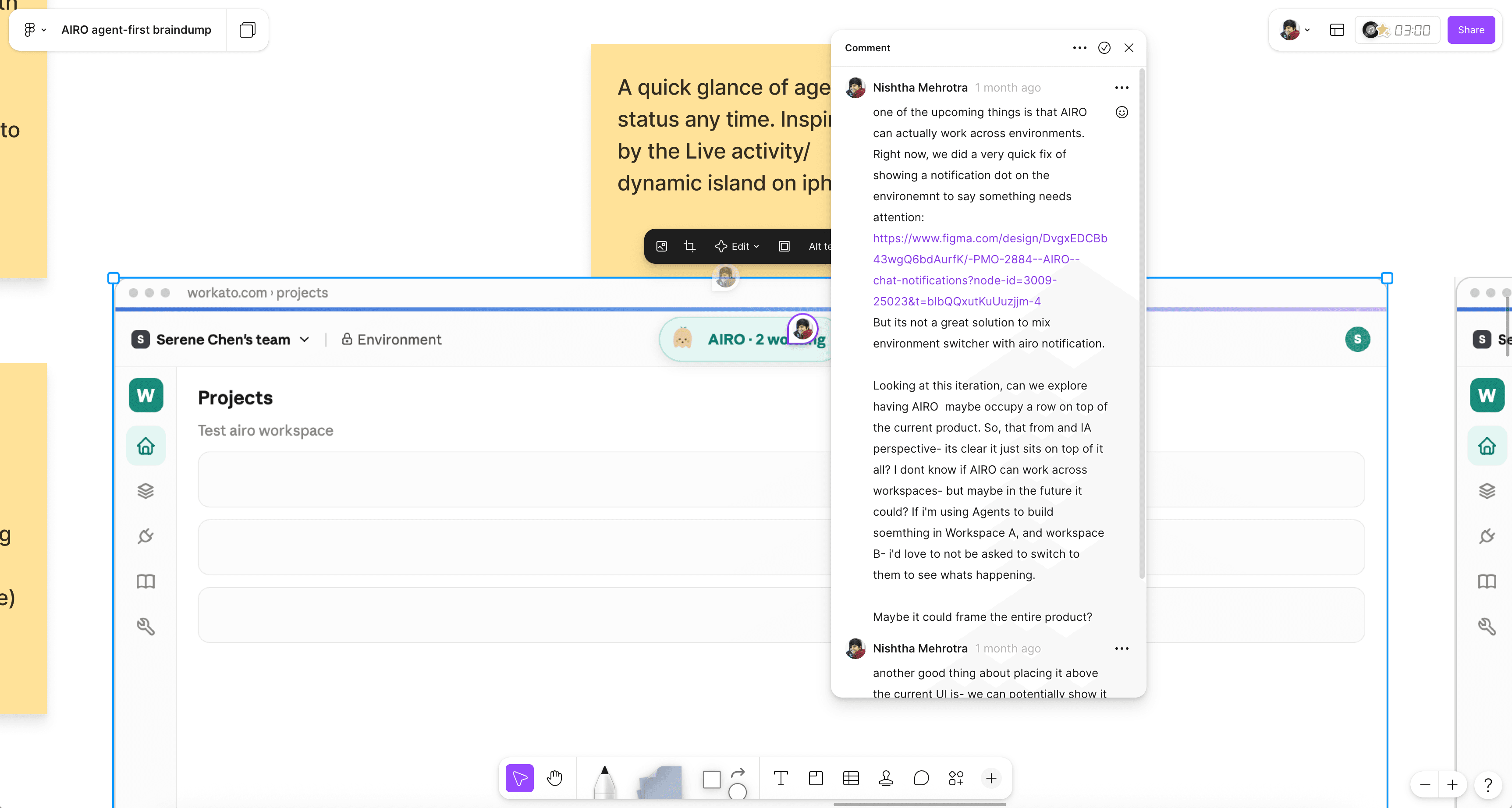
Two different questions - where the user is working, and whether an agent needs their attention - needed two different indicators.
Making the principle tangible
I used our internal product scaffolding and Claude Code to build a rough prototype. It gave Serene and me something concrete to evaluate and made three interaction principles visible:
- Running agents should remain accessible throughout the product.
- Their status shouldn't depend on the current workspace or environment.
- Anything requiring a decision should be reachable in one action.
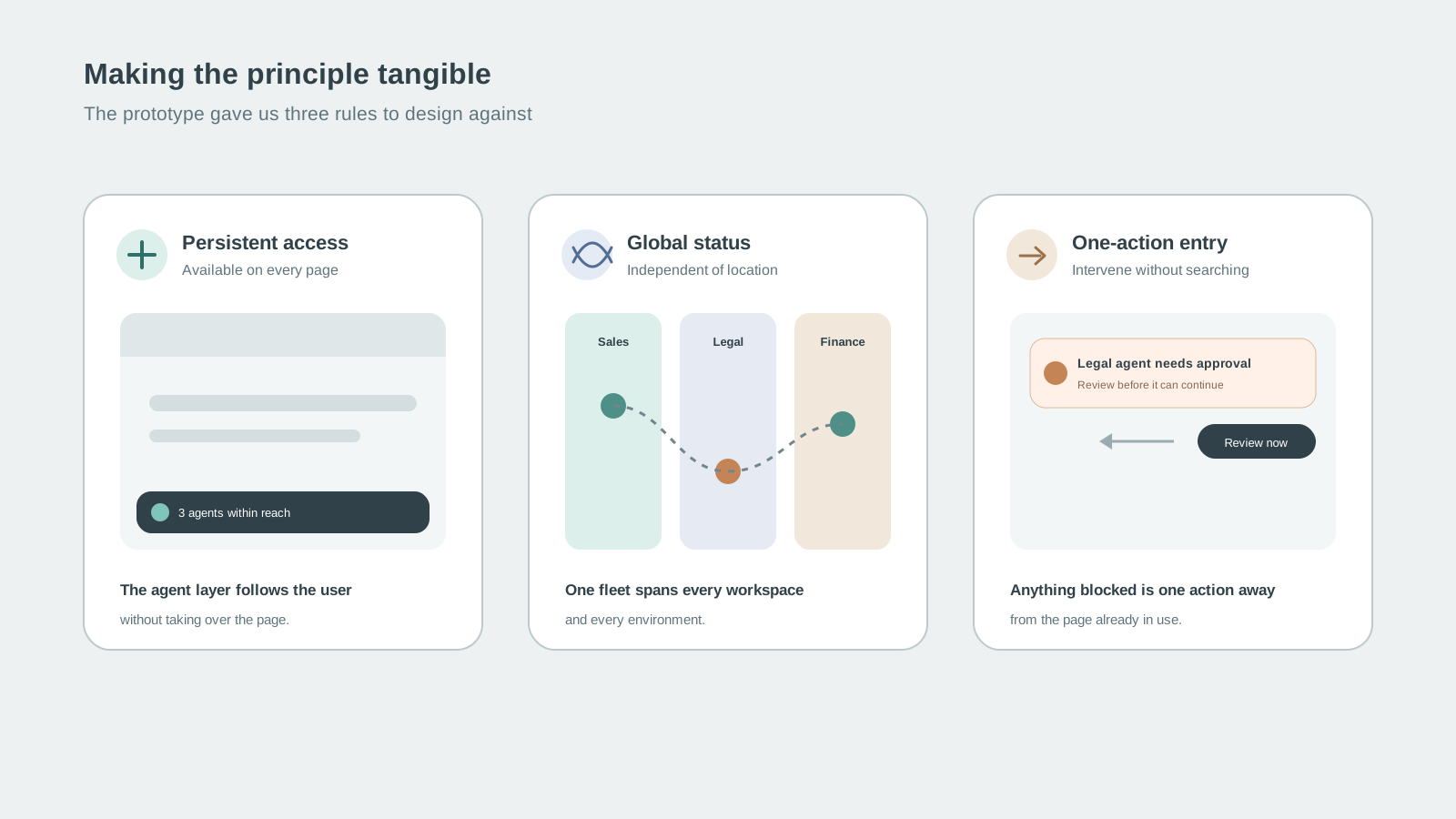
The prototype made three principles concrete: persistent access, global status, and one-action entry.
Finding the right edge of the screen
Serene and I explored three placements.
A centered notch
Our first direction used a centered notch at the top of the screen. Inspired by the MacBook notch, it could expand to provide a quick view of active agents.
We liked that it kept agent activity nearby without introducing a permanent panel. However, it collided with an existing control in the recipe editor, where people switch between Edit and Test modes.
A full-width top bar
We then tried placing a bar across the top of the product.
This created more room for active agents, but expanding the bar pushed the page content down and competed with the product's existing navigation. The top of the screen was already carrying too much responsibility.
The bottom of the viewport
Serene moved the interaction to the bottom of the screen. This resolved several problems at once:
- It avoided the existing navigation and mode controls.
- It could appear on any page without restructuring that page.
- It remained in peripheral view without competing with the current task.
- It created a natural transition into a detailed agent view.
- The action for starting an agent could sit close to the conversation that followed.
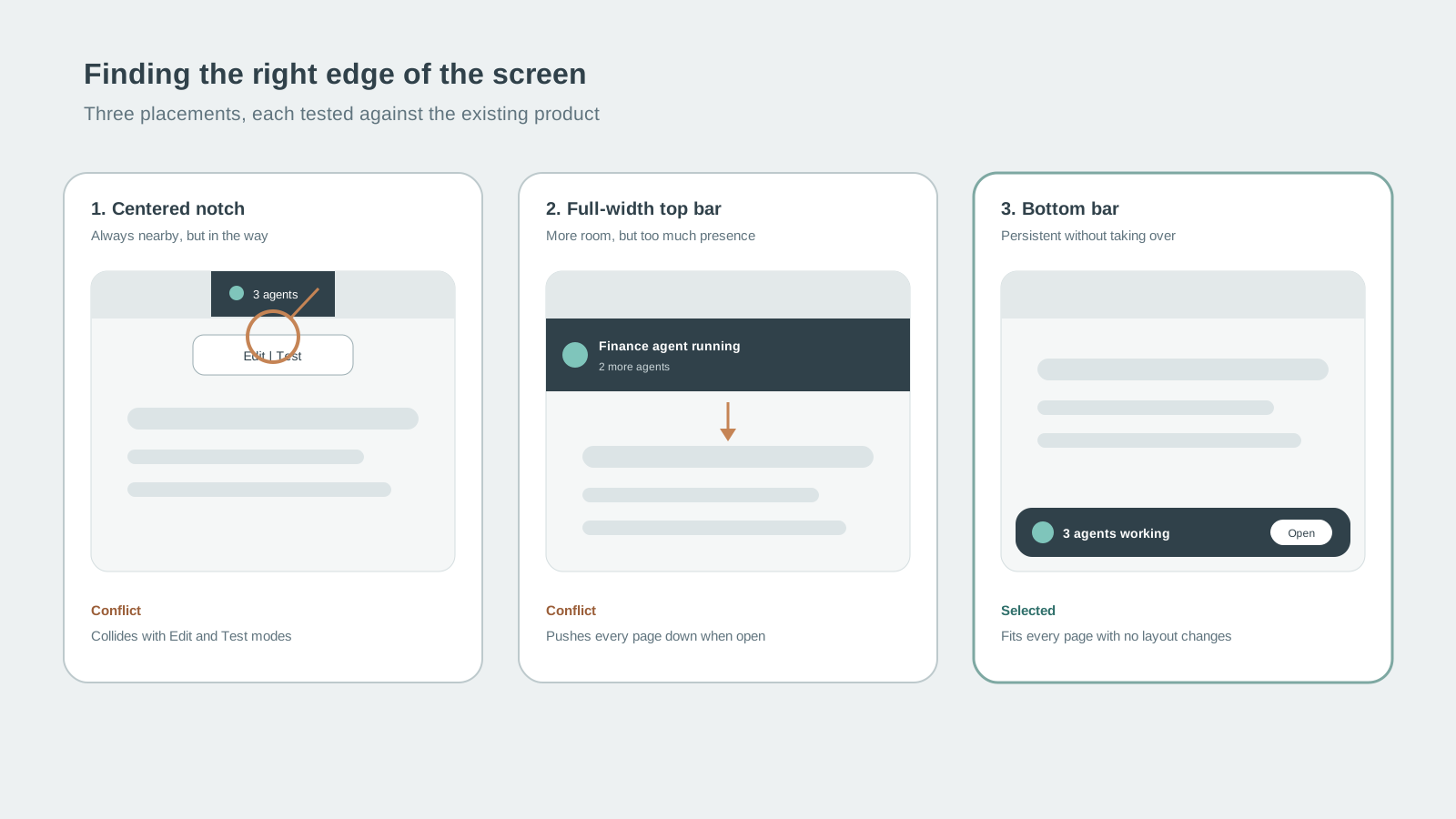
The notch collided with Edit and Test controls. The top bar pushed content down. The bottom bar fit every page without restructuring it.
Every agent, always within reach
The final agent bar stays at the bottom of the viewport throughout Workato. It doesn't belong to the current page, workspace, or environment. It belongs to the user.
From anywhere in the product, people can:
- See which agents are active
- Check progress without changing context
- Respond when an agent needs input
- Redirect an agent
- Return to any agent session
- Queue or start additional work
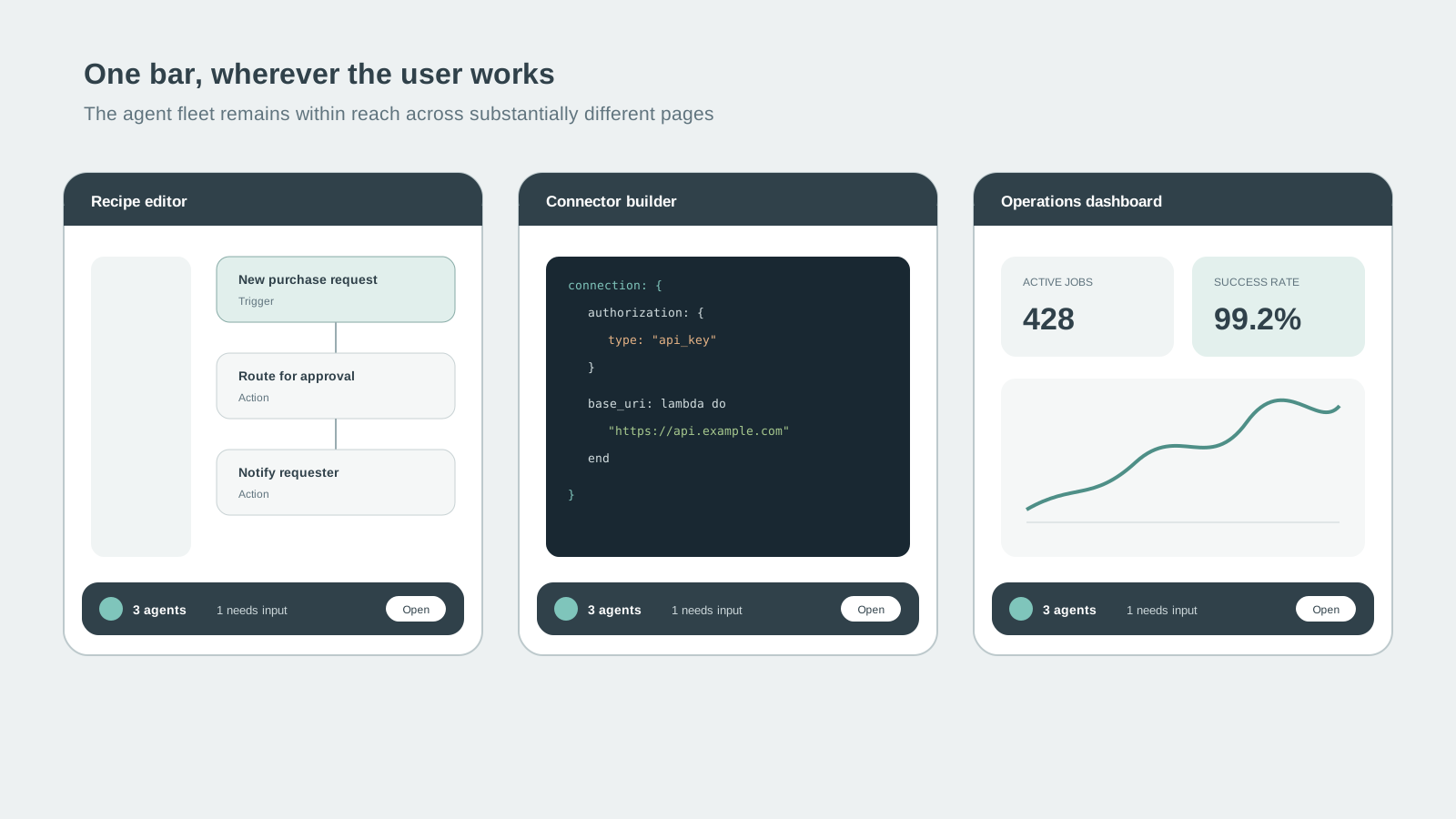
The same supervisory pattern follows the user across substantially different Workato pages.
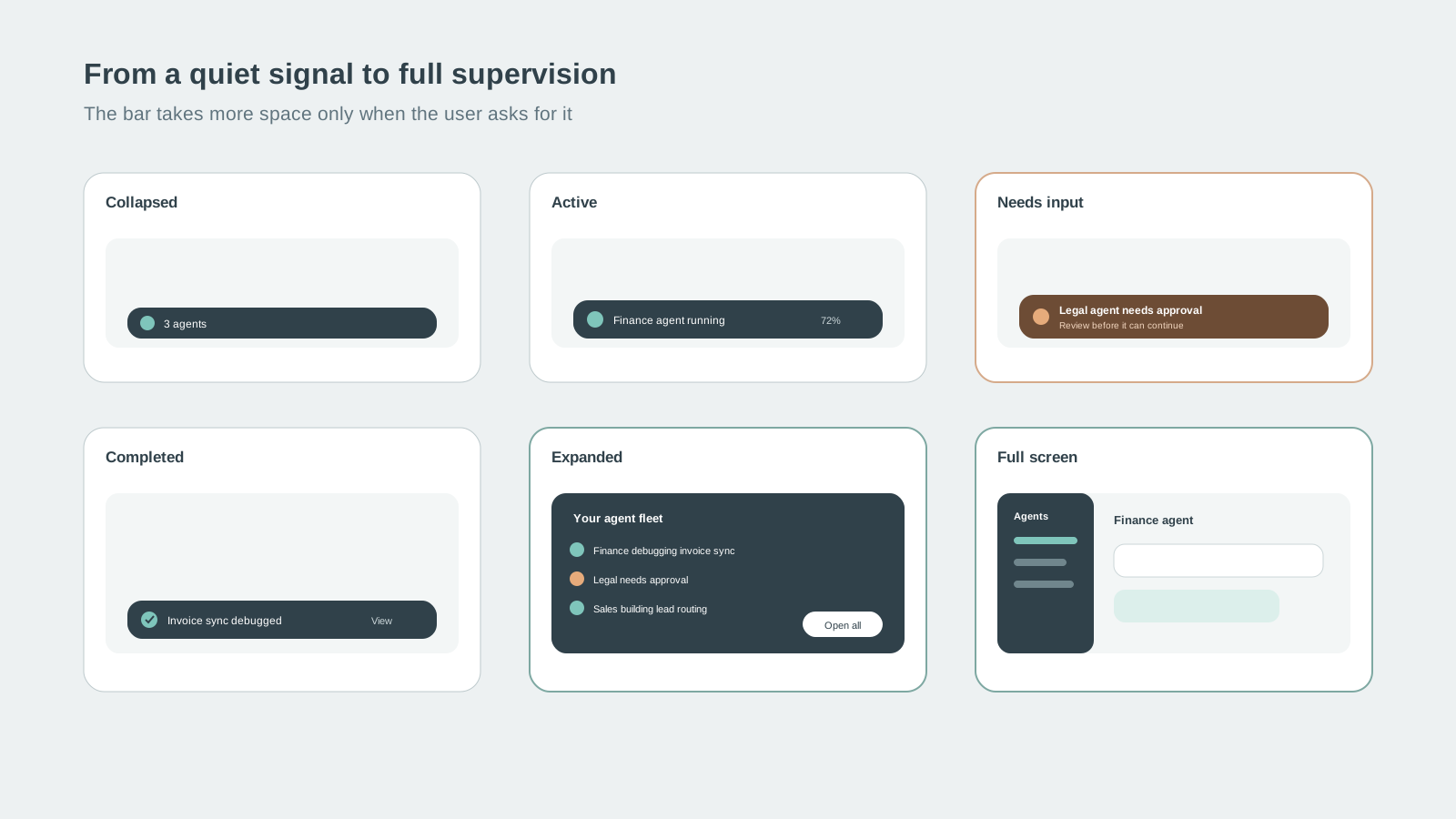
The bar moves from a quiet signal to full supervision only when the user needs more context.
My contribution
I reframed the problem as a product-wide information architecture challenge and redirected an early concept that tied agent activity to the current environment. I established the core interaction principles and built the first prototype to communicate the direction. I also critiqued subsequent concepts and helped guide the design as it developed.
Serene led the detailed interaction design and identified the bottom placement that made the pattern work across the product.